
GolfCompat
Which Launch Monitors Work with E6 CONNECT?
TruGolf publishes no device-level list for E6 CONNECT. Each E6 CONNECT row below rests on the launch monitor maker's own page: Garmin for the Approach R10 and R50, FlightScope for Mevo+, Rapsodo for the MLM2PRO, Square Golf for the Square Golf Home and SKYTRAK for the ST MAX. The row names that party and marks what its page leaves unstated.
Exact-model software support
Publisher listings only. GolfCompat has not tested these pairings.
Table help
Scroll sideways to read all columns. Keyboard: focus the table area and use the arrow keys.
| Monitor / software | Support | Connection evidence | Listed by | Publication tier | Complete requirements |
|---|---|---|---|---|---|
| Support documented | Not stated by FlightScope | Monitor manufacturer | Listing published by FlightScope | Listing only; requirements not stated by FlightScope | |
Requirements and source notesConfirm unstated requirements with the manufacturer before buying. Compatibility as published by FlightScope; read by GolfCompat on October 18, 2026. GolfCompat has not tested this pairing. Source cautions
| |||||
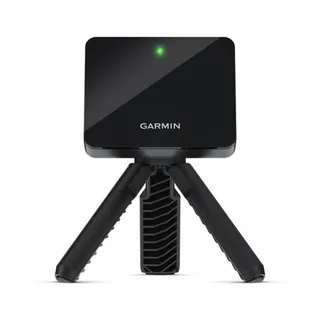
| Support documented | Publisher connection guide | Monitor manufacturer | Listing published by Garmin | Listing only; requirements not stated by Garmin | |
Requirements and source notesConfirm unstated requirements with the manufacturer before buying. Compatibility as published by Garmin; read by GolfCompat on October 18, 2026. GolfCompat has not tested this pairing. Source cautions
| |||||
| Support documented | Selected inside the simulator software | Monitor manufacturer | Listing published by Garmin | Listing only; requirements not stated by Garmin | |
Requirements and source notesConfirm unstated requirements with the manufacturer before buying. Compatibility as published by Garmin; read by GolfCompat on October 18, 2026. GolfCompat has not tested this pairing. Source cautions
| |||||
| Conditional support | Not stated by Rapsodo | Monitor manufacturer | Listing published by Rapsodo | Listing only; requirements not stated by Rapsodo | |
Requirements and source notesConfirm unstated requirements with the manufacturer before buying. Compatibility as published by Rapsodo; read by GolfCompat on October 27, 2026. GolfCompat has not tested this pairing. Source cautions
| |||||
| Support documented | Selected inside the simulator software | Monitor manufacturer | Listing published by Square Golf | Listing only; requirements not stated by Square Golf | |
Requirements and source notesConfirm unstated requirements with the manufacturer before buying. Compatibility as published by Square Golf; read by GolfCompat on October 18, 2026. GolfCompat has not tested this pairing. Source cautions
| |||||
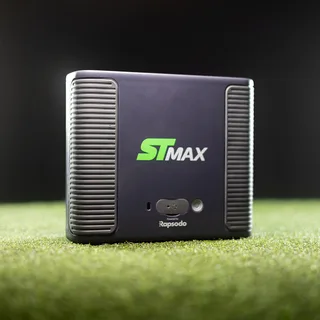
SKYTRAK ST MAX | Support documented | Not stated by SKYTRAK | Monitor manufacturer | Listing published by SKYTRAK | Listing only; requirements not stated by SKYTRAK |
Requirements and source notesConfirm unstated requirements with the manufacturer before buying. Compatibility as published by SKYTRAK; read by GolfCompat on October 18, 2026. GolfCompat has not tested this pairing. Source cautions
| |||||
SkyTrak+ | No E6 Connect listing for SkyTrak+ has been verified in GolfCompat's captured records as of October 18, 2026. This is not a statement of incompatibility. | ||||
What TruGolf publishes about E6 CONNECT
connect.e6golf.com says the software has been integrated with every leading launch monitor, and the E6 Connect manual's supported-device section names brands and older models such as the FlightScope X3, X2 and Xi.
What a manufacturer listing does and does not settle
A maker's page can name E6 CONNECT and still say nothing about the connection method, a firmware or app version, a membership tier or a required accessory. Those cells read 'Not stated by' the maker. Ask the maker before buying; a blank on their page is not a no.
Bundles and licences differ by monitor
FlightScope says Mevo+ includes a lifetime E6 Connect bundle for iOS and PC that does not transfer to a used unit. Square Golf's steps start with buying an E6 Connect licence. Rapsodo's current MLM2PRO product page lists E6 Connect; it does not establish which current membership plan grants access. Garmin's FAQ requires the E6 Connect software or iOS app plus a compatible smartphone. Read the row for your monitor, then the platform pages for PC and iPad requirements.
Related guides
Sources (5)
FlightScope: Where should the Mevo+ be placed?
What simulation software is Mevo+ integrated with?Read October 18, 2026
What simulation software is Mevo+ integrated with? · Publication date not stated for this section
Mevo+ includes a lifetime E6 Connect bundle (iOS & PC)
What simulation software is Mevo+ integrated with?Read October 18, 2026
What simulation software is Mevo+ integrated with? · Publication date not stated for this section
Mevo+ includes a lifetime E6 Connect bundle (iOS & PC) featuring 12 courses, 17 ranges, and a mini-game, with options to purchase more.
Garmin: How to Connect the Garmin Golf App to E6 Connect
How to Connect the Garmin Golf App to E6 ConnectRead October 18, 2026
How to Connect the Garmin Golf App to E6 Connect · Publication date not stated for this section
E6 Connect is a third-party service available for you to simulate rounds of golf with your Approach® R10 or Approach® R50 launch monitors.
Connecting to E6 Connect on PCRead October 18, 2026
Connecting to E6 Connect on PC · Publication date not stated for this section
The steps below will help you get started with connecting the Garmin Golf app to E6 Connect on your PC.
Approach R10 Requirements to Use E6 ConnectRead October 18, 2026
Approach R10 Requirements to Use E6 Connect · Publication date not stated for this section
Compatible Smartphone
Approach R50 Requirements to Use E6 ConnectRead October 18, 2026
Approach R50 Requirements to Use E6 Connect · Publication date not stated for this section
The computer running the E6 Connect software needs to be connected to the Approach R50 E6 Connect Hotspot
Rapsodo: Rapsodo® MLM2PRO Mobile Launch Monitor + Golf Simulator
Simulation PlatformsRead October 27, 2026
Simulation Platforms · Publication date not stated for this section
Connect with popular third-party simulation platforms like GSPRO, E6 and Awesome Golf.
The current MLM2PRO manufacturer page names E6 Connect as compatible with this device. This listing does not verify a tested connection, a Core or Studios entitlement, or complete purchase requirements.
Square Golf: GSPRO, E6 Connect & Awsome Golf
E6 ConnectRead October 18, 2026
E6 Connect · Publication date not stated for this section
Seamlessly integrated with the Square Golf launch monitor, E6 CONNECT
How to set up E6 ConnectRead October 18, 2026
How to set up E6 Connect · Publication date not stated for this section
In E6 Connect, go to Settings → Simulator → Tracking System → Square Golf, click Accept, and you’re ready to play.
How to set up E6 ConnectRead October 18, 2026
How to set up E6 Connect · Publication date not stated for this section
Purchase an E6 Connect licence from the official website
SKYTRAK: SKYTRAK vs Competitors
SKYTRAK ST MAX vs Trackman iORead October 18, 2026
SKYTRAK ST MAX vs Trackman iO · Publication date not stated for this section
Choose SKYTRAK ST MAX if: You want comparable accuracy and Trackman's course library at a fraction of the price, with the flexibility to use multiple software platforms including E6 Connect and GSPro.
This document supports the cited model or software requirement. We have not performed hands-on equipment testing.
GolfCompat provides planning information. Confirm the instructions for your exact equipment and have your room, swing clearance, and installation assessed before use. A listed equipment requirement does not certify personal safety.