
GolfCompat
Garmin R50 Placement: Height, Position and Cameras
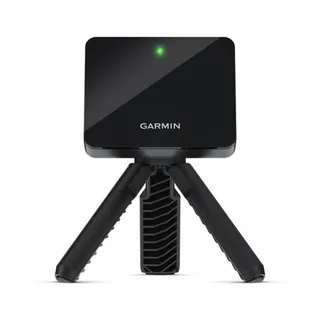
Garmin places the R50 approximately 1.5 ft. (0.5 m) beside the tee and describes internal cameras. GolfCompat keeps those manufacturer instructions separate from numeric room-clearance requirements. Read the placement conditions below, then check the software connection and host computer for your intended setup.
Placement and technology
- Name
- Garmin R50
- Sensor placement
- Beside the ball
- Measurement technology
- camera
Software support
Publisher listings only. GolfCompat has not tested these pairings.
Table help
Scroll sideways to read all columns. Keyboard: focus the table area and use the arrow keys.
| Monitor / software | Support | Connection evidence | Listed by | Publication tier | Complete requirements |
|---|---|---|---|---|---|
Garmin R50 | Support documented | Publisher connection guide | Software publisher | Listing published by GSPro | Listing only; requirements not stated by GSPro |
Requirements and source notesConfirm unstated requirements with the manufacturer before buying. Compatibility as published by GSPro; read by GolfCompat on October 18, 2026. GolfCompat has not tested this pairing. Source cautions
| |||||
Garmin R50 | Support documented | Selected inside the simulator software | Monitor manufacturer | Listing published by Garmin | Listing only; requirements not stated by Garmin |
Requirements and source notesConfirm unstated requirements with the manufacturer before buying. Compatibility as published by Garmin; read by GolfCompat on October 18, 2026. GolfCompat has not tested this pairing. Source cautions
| |||||
Manufacturer placement instructions
Read these as manufacturer placement instructions. Approximate distances and ball-position zones do not establish room dimensions or complete swing clearance.
- Approximate device position
- You must place the launch monitor approximately 1.5 ft. (0.5 m) to the side of the tee location.
- Device orientation
- The launch monitor must face the tee location.
- Height and supporting surface
- For best results, you should place the launch monitor at approximately the same height as the tee location.
Use the source diagram for the reference direction.
Keep the approximate placement as printed
Use the manufacturer instruction and source diagram together. Preserve both printed units and the word approximately when recording the device position. Do not turn that position into an exact room-width or ceiling-height requirement.
Check the software and room separately
The pairing table records named software connections. A supported-device listing does not supply a complete shopping list or every software entitlement. Confirm the application, host computer, equipment and purchase terms before comparing a full setup cost.
Related guides
launch monitor directory
Square Golf
Garmin R50 with GSPro
GSPro PC requirements
Garmin R50 with GSPro bundle records
Garmin R50 software support
garmin r50 not connecting
golf simulator room dimensions
Garmin R50 vs R10
Garmin R50 vs Rapsodo MLM2PRO
Garmin R50 vs Square Golf
Garmin R50 vs FlightScope Mevo+
Garmin R50 vs Uneekor Eye XO
Garmin R50 vs Uneekor Eye XO2
Sources (4)
GSPro: GSPro Version 3
What launch monitor devices are supported?Read October 18, 2026
What launch monitor devices are supported? · Publication date not stated for this section
Garmin R50
Garmin: Premium Golf Launch Monitor and Simulator
Launch Monitor Placement ConsiderationsRead October 18, 2026
Launch Monitor Placement Considerations · Publication date not stated for this section
You must place the launch monitor approximately 1.5 ft. (0.5 m) to the side of the tee location.
Using the Golf Simulator FeaturesRead October 18, 2026
Using the Golf Simulator Features · Publication date not stated for this section
These features use internal cameras to record measurements that help you analyze your practice.
Launch Monitor Placement ConsiderationsRead October 18, 2026
Launch Monitor Placement Considerations · Publication date not stated for this section
The launch monitor must face the tee location.
Launch Monitor Placement ConsiderationsRead October 18, 2026
Launch Monitor Placement Considerations · Publication date not stated for this section
For best results, you should place the launch monitor at approximately the same height as the tee location.
GSPro: Garmin Approach R50 Connection Guide
Start GSPro:Read October 18, 2026
Start GSPro: · Publication date not stated for this section
The GSPro Connect application will open with the Garmin R50 option showing
Garmin: How to Connect the Garmin Golf App to E6 Connect
How to Connect the Garmin Golf App to E6 ConnectRead October 18, 2026
How to Connect the Garmin Golf App to E6 Connect · Publication date not stated for this section
E6 Connect is a third-party service available for you to simulate rounds of golf with your Approach® R10 or Approach® R50 launch monitors.
Approach R50 Requirements to Use E6 ConnectRead October 18, 2026
Approach R50 Requirements to Use E6 Connect · Publication date not stated for this section
The computer running the E6 Connect software needs to be connected to the Approach R50 E6 Connect Hotspot
This document supports the cited model or software requirement. We have not performed hands-on equipment testing.
GolfCompat provides planning information. Confirm the instructions for your exact equipment and have your room, swing clearance, and installation assessed before use. A listed equipment requirement does not certify personal safety.